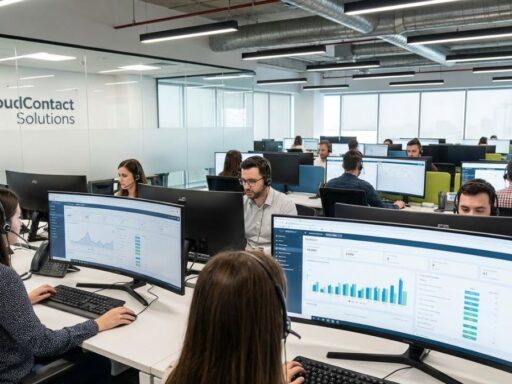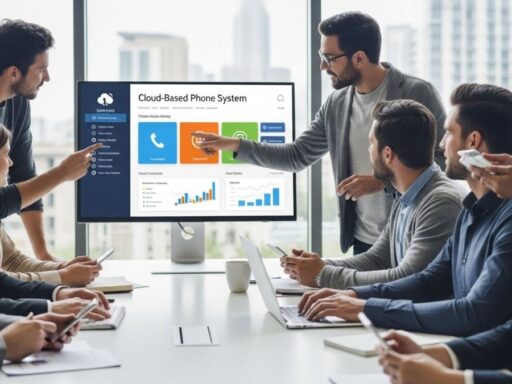




Call center software helps businesses modernize and automate essential customer service tasks.
By routing calls to the right agents, monitoring performance, providing menu options, tracking KPIs, and much more, these platforms help support teams operate efficiently.
A well-structured call center reduces agent stress and improves customer satisfaction—avoiding long wait times, inconsistent responses, and operational chaos.
What Is Call Center Software?
Call center software automates and standardizes the process of handling incoming and outgoing customer calls.
These systems are designed for virtual or on-site call centers and help organizations:
- Manage workflows
- Evaluate agent performance
- Improve customer experience
- Monitor, record, and analyze customer interactions
Most platforms also allow customers to check the status of their requests online.
What Is Call Center Software Used For?
Call center software improves customer service by automating call flows and providing self-service options.
Key uses include:
✔ Interactive Voice Response (IVR)
Allows callers to access information like operating hours or FAQs without an agent.
✔ Improved Agent Efficiency
Agents handle only the queries that require deeper assistance.
✔ Quality Monitoring
Managers can:
- Listen to calls live
- Record calls for training
- Identify areas where agents need help
✔ Performance & Satisfaction Tracking
Businesses can monitor customer satisfaction and agent KPIs.
Types of Call Center Software
Before purchasing a solution, determine which system fits your operation:
1. Outbound Call Center Software
Used for:
- Telemarketing
- Sales
- Fundraising
- Surveys
2. Inbound Call Center Software
Ideal for businesses receiving customer calls regarding products, services, and appointments.
3. Blended Call Center Software
Allows agents to manage both inbound and outbound calls—improving overall productivity.
Common Features of Call Center Software
Most call center platforms offer the following core features:
Automatic Call Distribution (ACD)
Routes incoming calls to the right agent based on availability and skills.
Computer Telephony Integration (CTI)
Unifies communication channels in a single interface.
Call Controls
Mute, hold, transfer, conference calls, and omnichannel messaging.
Call Recording
Automatic recording for training, quality control, and compliance.
Call Monitoring & Whisper Coaching
Managers can listen in and guide agents without customers hearing.
Call Scripting
Templates with pre-written responses for common inquiries.
Queue Management
Tracks:
- Wait times
- Queue volume
- Abandonment rates
Reporting & Analytics
Analyze metrics such as:
- Daily call volumes
- Average handle time
- Service level
- Abandonment rate
Campaign Management
Organize calling campaigns for sales, retention, or customer surveys.
IVR & Voice Recognition
Automated menus that route customers to the right department.
Real-Time Live Chat
Instant messaging with embedded surveys to evaluate performance.
Important Considerations When Choosing Call Center Software

Integrations
Ensure compatibility with:
- CRM platforms
- Helpdesk tools
- Social media
- Support systems
Security & Compliance
Verify encryption standards and adherence to data protection laws such as GDPR.
Ease of Implementation
Choose a solution that:
- Has minimal setup time
- Offers strong customer support
- Requires little training
Call Center Software Pricing
Most tools use monthly billing, usually paid yearly.
Typical pricing tiers:
- $11 – $15
- $15 – $25
- $25+
(Prices reflect entry-level tiers available as of April 18, 2022.)
Highest-Rated Call Center Software
GetApp’s Leaders Program evaluates software based on:
- Ease of use
- Value for money
- Functionality
- Customer support
- Likelihood to recommend
You can compare top solutions on the Call Center Software Category Leaders page.
Systems Commonly Used by Call Centers
Automatic Call Distributors (ACD)
Routes calls to the right agent—reduces wait times and boosts satisfaction.
Automatic Dialers
Makes outbound calls automatically and connects answered calls to agents.
Predictive Dialers
Dials multiple numbers at once and connects calls based on agent availability.
IVR Systems
Automated menus collect caller information and direct calls to the correct department through the ACD.
Top Call Center Software Solutions (Overview)
Below is a detailed summary of the top platforms featured in your text.
CloudTalk
A modern, user-friendly VoIP system with 70+ advanced features.
Used by sales and support teams in start-ups, SMEs, and e-commerce companies.
Key Features:
- ACD & IVR
- Custom reporting
- Real-time dashboards
- Call statistics
- Click-to-call
- Conference call
- Integrations with Zendesk, HubSpot, Salesforce, Pipedrive, and more
Benefits:
- International numbers from 140+ countries
- Browser and desktop apps
- Fast setup
Adversus
A cloud-based dialer and CRM for SMBs focused on telemarketing and lead management.
Key Features:
- Automated call workflows
- Lead prioritization
- One-click registration
- Real-time campaign tracking
- Segmentation and messaging
- KPI monitoring
- Integrations with Office365, Slack, Zapier, Podio
Aircall
A leading cloud-based phone system built for modern sales and support teams.
Key Features:
- Desktop & mobile apps
- Numbers in 100+ countries
- Automatic call routing
- IVR
- Real-time analytics
- CRM & helpdesk integrations
- Live activity feed
Trusted by 9,000+ companies worldwide.
Dialfire
A powerful outbound call center platform with predictive dialing and advanced campaign management.
Key Features:
- Predictive & preview dialing
- Customizable forms
- Multi-step campaign workflows
- Call recording & monitoring
- Real-time analytics
- Secure data encryption
3CX
A software-based PBX system with cloud hosting options.
Key Features:
- Web conferencing
- CRM integration
- Live chat
- Instant messaging
- Mobile apps for iOS & Android
- Multi-view switchboard
- Clientless video conferencing
Bitrix24
A complete business management platform with CRM, communication tools, and call center features.
Key Features:
- CRM with email integration
- Document management
- Task & project management
- Time tracking
- Social intranet
- Calendars and event scheduling
- Wikis, chats, and workgroups
- Free for up to 12 users
Used by 5M+ companies in 186 countries.
Final Thoughts
Choosing the right call center software depends on your business needs:
- Do you require inbound, outbound, or blended operations?
- Are integrations with existing tools a priority?
- Do you need advanced analytics or basic call routing?
- Is scalability important?
Always take advantage of free trials before committing to a platform—this ensures the software matches your workflows, budget, and support needs.