




A well-executed ticketing system streamlines communication by removing bottlenecks caused when no one has a clear view of the problem, its priority, and the person reporting it.
However, even the best software is useless without the right people and processes.
Before we get into how to choose the best ticketing software, let’s review the fundamentals of a ticketing system.
Then you can explore an overview of 15 of the best ticketing systems available and learn about best practices.
What is a ticketing system?
A ticketing system is software that allows customer service teams to create, manage, and maintain lists of customer issues.
Most ticketing systems also include:
- Support via multiple channels
- Ticket routing, classification, and categorization
- Monitoring and analytics
- Integrations
- Knowledge base management
- Automation
- Live chat
Ticketing systems may also be called ticketing software, ticketing support, or helpdesk ticketing systems.
Why does your business need a helpdesk ticketing system?
Helpdesk ticketing systems help organize, prioritize, and centralize support requests.
They allow organizations to:
- Assign inquiries to the most appropriate agent
- Provide context for customer interactions
- Track customer requests
- Use shared inboxes for coordinated support
How does an IT ticketing system work?
An IT help desk system converts issues from all channels into tickets.
A ticket includes:
- User interactions
- Agent notes
- Internal communication
- Current ticket status
Example:
If an email server goes down, multiple incident tickets may relate to the same root problem.
When the main issue is marked as solved, associated incidents update automatically.
Ticketing systems also store valuable information for future insights and generate performance reports.
What are the features of ticketing tools?
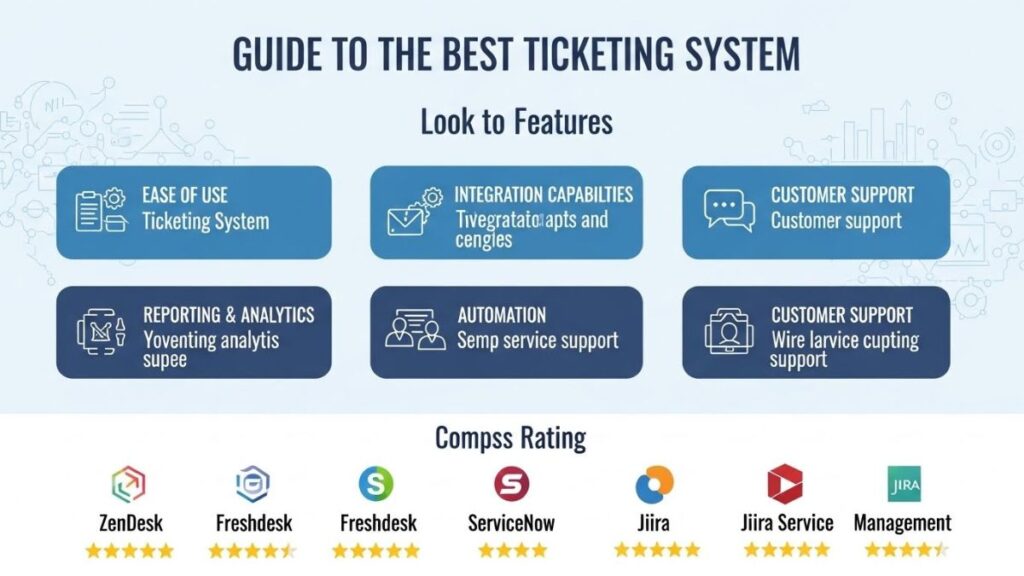
Below are six essential features to evaluate when comparing ticketing systems:
1. Omnichannel Support
Customers reach out via email, social media, chat, and phone—sometimes all at once.
Omnichannel support consolidates everything into one unified inbox, preventing customers from repeating themselves.
2. Ticket Routing, Categorization, and Tagging
Essential for larger teams.
Categorization and tagging ensure tickets reach the right agent quickly based on skill level and availability.
3. Measurement and Tracking
Analytics help determine:
- Resolution times
- Team workload
- Resource needs
4. Integrations
Ticketing systems connect with CRMs, databases, and communication tools—removing data silos and improving agent accuracy.
5. Knowledge Base Management
Enables self-service, lowers ticket volume, and gives agents a searchable source of internal documentation.
6. Automation
Useful for:
- Assigning tickets
- Sending predefined responses
- Escalating issues
- Pulling customer data
Automation reduces repetitive work and minimizes human errors.
7. Workforce Management Tools
Helps forecast workload, optimize staffing, and maintain cost efficiency.
Benefits of a help desk ticketing system
Here are five core advantages:
1. Increased Agent Productivity
Automation frees agents from repetitive tasks so they can focus on high-value work.
2. Improved Customer Interactions
Audit trails provide agents with full context, reducing customer frustration and enabling personalization.
3. Transparent Service Performance
Ticketing data clarifies service quality and reveals improvement opportunities.
4. Continuous Learning Over Time
Centralized issues and resolutions help managers identify:
- Training opportunities
- Common problems needing documentation
- Process bottlenecks
5. Better Team Collaboration
Ticket sharing and centralized communication eliminate “hot potato” transfers.
Best practices for ticketing software
Even the best software fails without good processes. Follow these four practices:
1. Train Agents on the System
Ensure agents understand all features—not just the basic ones.
Vendors often offer training to simplify onboarding.
See also: The Cloud Phone System everything you need to know
2. Build a Self-Service Knowledge Base
Start small with FAQs and expand gradually.
Knowledge bases reduce ticket volume and improve customer satisfaction.
3. Use a Well-Organized Tagging System
Tags help:
- Prioritize tickets
- Route issues
- Generate accurate reports
4. Automate Predefined Ticket Actions
Example: Auto-responses when a ticket is received.
Automation improves resolution speed and customer experience.
How to implement help desk ticketing software
Follow these six steps for a smooth deployment:
1. Define Your Purpose and Objectives
Document goals such as:
- Reducing resolution time
- Lowering costs
- Increasing customer retention
2. Establish Your SLA (Service-Level Agreement)
Set expectations for:
- Business hours
- Response targets
- Service channels
3. Assign Roles and Responsibilities
Clarity reduces confusion and improves workflow.
It also guides permission settings in the software.
4. Create Ticket Routing Workflows
Plan how:
- Channels
- Issue types
- Customer segments
…will determine routing and escalation.
5. Validate the System Before Launching
Submit test tickets to identify:
- Bottlenecks
- Dead ends
- Poor routing logic
6. Evaluate Performance Regularly
Track metrics, collect feedback, and refine workflows over time.
Overview of the 5 Best Ticketing Systems
1. Zendesk
- Omnichannel support
- Full customer journey view
- Pre-built dashboards
- Strong analytics
- Ideal for scaling organizations
2. Zoho Desk
- Great for small to medium teams
- Integrates smoothly with Zoho CRM
- Constant feature expansion
- Free plan available
3. Freshdesk
- Affordable
- Very intuitive
- Multiple paid tiers
- Freshworks Academy for agent training
- Free plan includes email ticketing and KB tools
4. HappyFox
- Cloud-based, powerful feature set
- Suitable for businesses of all sizes
- Limited integrations
- No free trial
- Pricing: $39–$99/user
5. WordPress Advanced Ticket System (WATS)
- Ideal for WordPress-based teams
- Lightweight and easy to integrate
- Lacks advanced channel support
- Free and paid versions available
How to choose the best ticketing software for your business
If your team wastes time sorting emails or juggling scattered conversations, it’s time for a new system.
Consider:
- Number of support channels
- Ticket volume
- Need for automation
- Required integrations
- Budget
- Team size